Turn an enquiry email into a job you can quote.
Whether you're an electrician, a plumber, a builder, a caterer or a photographer — forward the enquiry email instead of copying it out. You get a job on your phone with the customer and work details already filled in. Check them, then quote when you're ready.
30 days free, then £25 a month. No card details to start.
Do the job once.
The job is the same. The paperwork shouldn't make you enter the customer and work twice.
- The enquiry
- The old wayCopy the customer's details from email into notes or a spreadsheet.
- With grafter.lyForward the email. The job starts with the details already filled in.
- The quote
- The old wayFind the message again and type the work into a quote.
- With grafter.lyOpen the job and add prices without entering the customer again.
- The answer
- The old waySearch your messages to check what the customer accepted.
- With grafter.lyThe customer's acceptance stays with the quote and job.
- The invoice
- The old wayType the work and price into another document.
- With grafter.lyRaise the invoice from the accepted quote.
- An overdue invoice
- The old wayCheck the bank, then remember to send another message.
- With grafter.lyAutomatic reminders follow up overdue invoices.
- The accounts
- The old wayRe-type every invoice into Xero for the accountant.
- With grafter.lySent invoices land in Xero with the customer attached.
Watch it happen.
Under a minute, start to finish: the enquiry email becomes a job, the quote goes out, the customer accepts, and the invoice is paid.
The same details stay with the job.
Build the quote from the customer and work details already there. When they accept, book the work and raise the invoice from the accepted quote.
- Enquiry email
- Job
- Quote accepted
- Booked
- Invoice sent
The questions you'd ask anyway, asked in two taps.
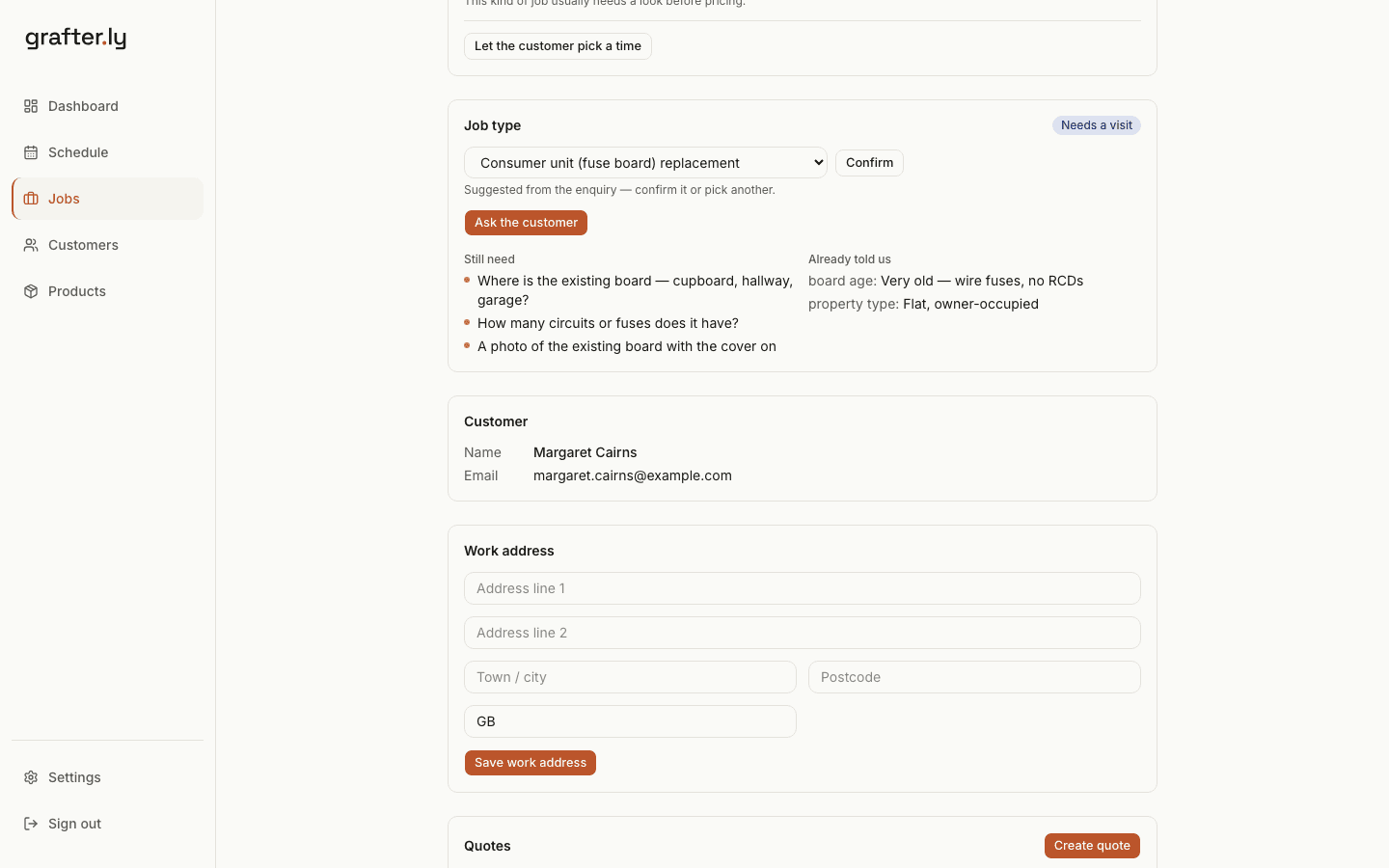
The enquiry arrives sorted: what the customer has already told you, and what's still outstanding — where the board is, how many circuits, a photo. The reply asking for those is written and waiting; you read it and send it.
- The questions go out under your business name. They just reply and it comes back to you — or they answer on a page, photos included.
- If the job needs a look first, the customer picks a morning or afternoon from your free days.
- Every trade starts with its own job types and questions. Hide, add or reword what you'd never ask.
What they sent
From Margaret Cairns
Fuse box
I had someone out to fit a socket and he said the fuse box is past it and should be replaced.
It's a very old one with the wire fuses, no test buttons on it. It's our own flat in Camelon. Could you give me a price?
The job it became
The reply, ready to send
To Margaret Cairns
Questions about your consumer unit (fuse board) replacement — MacLeod Electrical
Hi Margaret,
Thanks for getting in touch about your consumer unit (fuse board) replacement.
To give you a price, could you let us know:
- Where is the existing board — cupboard, hallway, garage?
- How many circuits or fuses does it have?
- A photo of the existing board with the cover on (a photo is ideal — just attach it)
Just reply to this email with the answers. If it's easier, you can answer here.
— MacLeod Electrical
Your customer sees your business, not ours.
They receive a quote under your business name, see the work and VAT clearly, and type their name to accept. After the work, the invoice can carry a Stripe payment button.
- Your business and contact details appear first.
- VAT and the total are shown before acceptance.
- Stripe handles the customer's card payment.
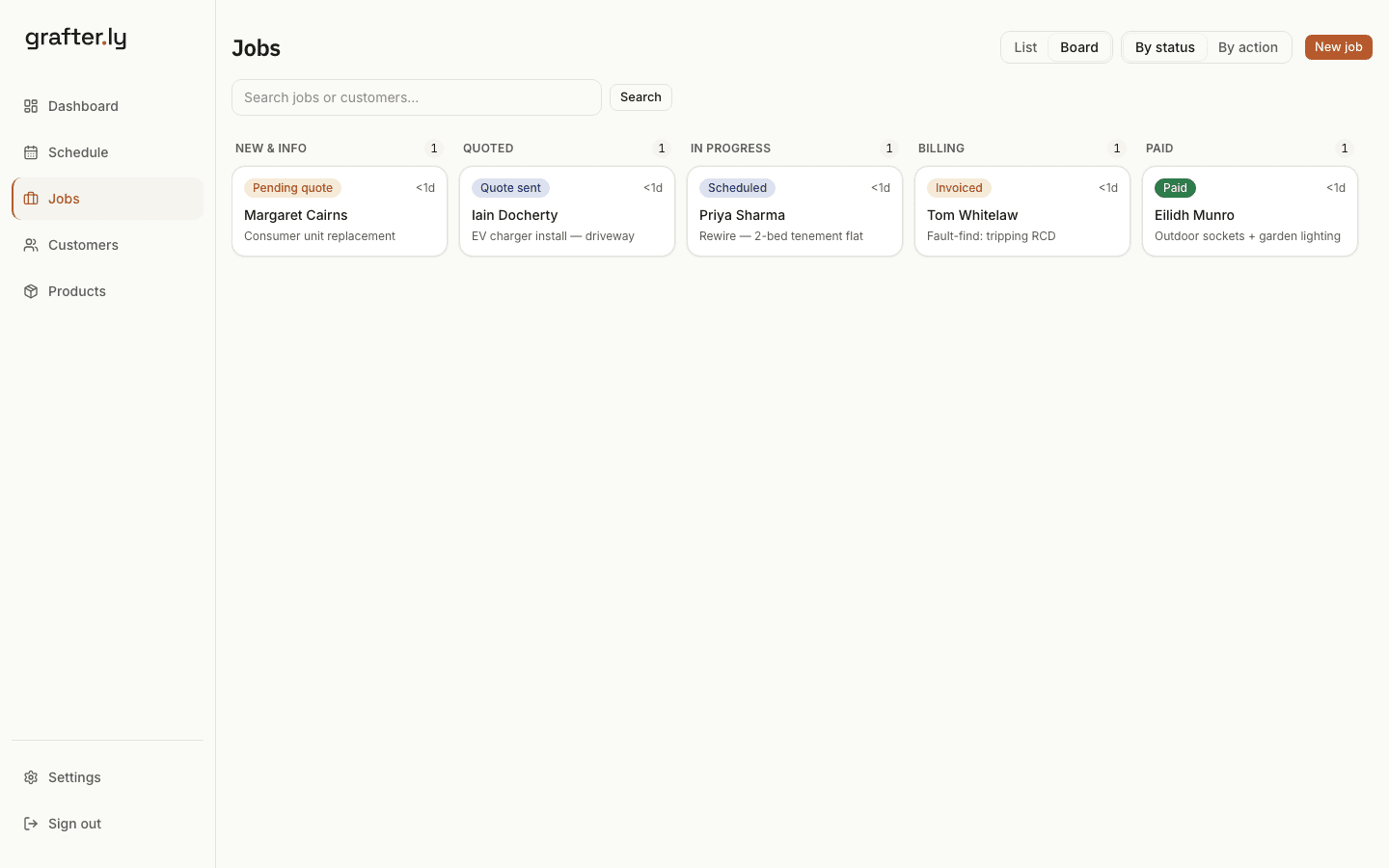
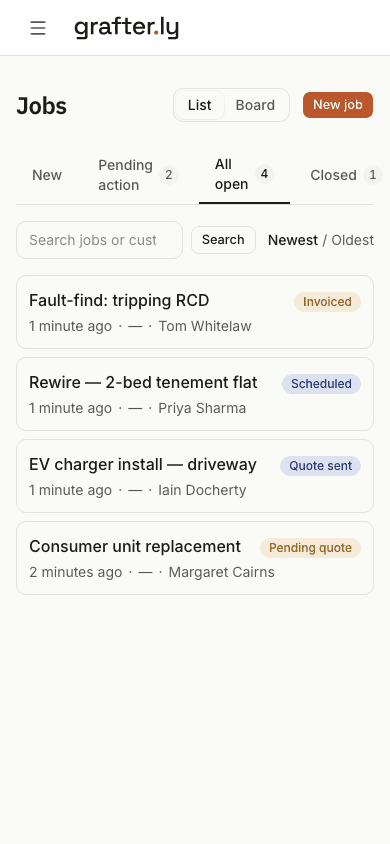
See every open job by its current stage.
New enquiries, quotes, bookings and invoices stay visible, so you can see what needs attention without digging through email.
Start with one real enquiry.
Keep using your existing email. Forward one enquiry, check the job it creates and send the quote. You don't need to import old jobs.
- 1Keep using your existing email
- 2Forward one enquiry or add the job yourself
- 3Connect Stripe when you want to take card payments
Try it on your next enquiry.
See whether starting with the customer and work details already filled in saves you the evening retyping.
30 days free, then £25 a month. No card details to start.