Quoting and invoicing software for caterers.
Forward the enquiry email and the wedding is in your list with the customer's details already filled in. Price it per head from your own list, and see the moment they accept online.
30 days free, then £25 a month. No card details to start.
The old way vs grafter.ly
The enquiry
The old way
Add to Event and Bark emails stack up in your inbox while you're flat out prepping for Saturday.
With grafter.ly
Forward the email and it becomes a job with the details already filled in, and what you still need to ask listed.
The quote
The old way
You're pricing menus per head at midnight after a Saturday wedding.
With grafter.ly
You price it per head from your list and send it from your phone.
The wait
The old way
You send the quote and hear nothing, so you follow up by email a week later.
With grafter.ly
They accept it online and you see it happen.
The invoice
The old way
It waits until the Monday after the event, along with everything else.
With grafter.ly
You raise it from the quote in a couple of taps.
Getting paid
The old way
You're checking your bank for a transfer they promised on the day.
With grafter.ly
With Stripe connected, every invoice carries a card link, and the reminders send themselves.
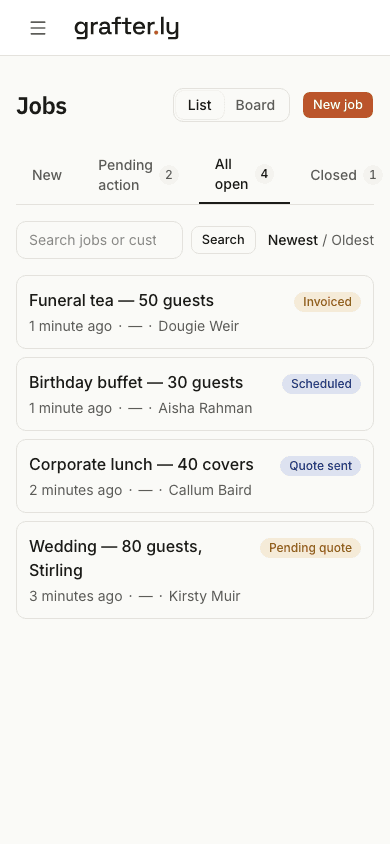
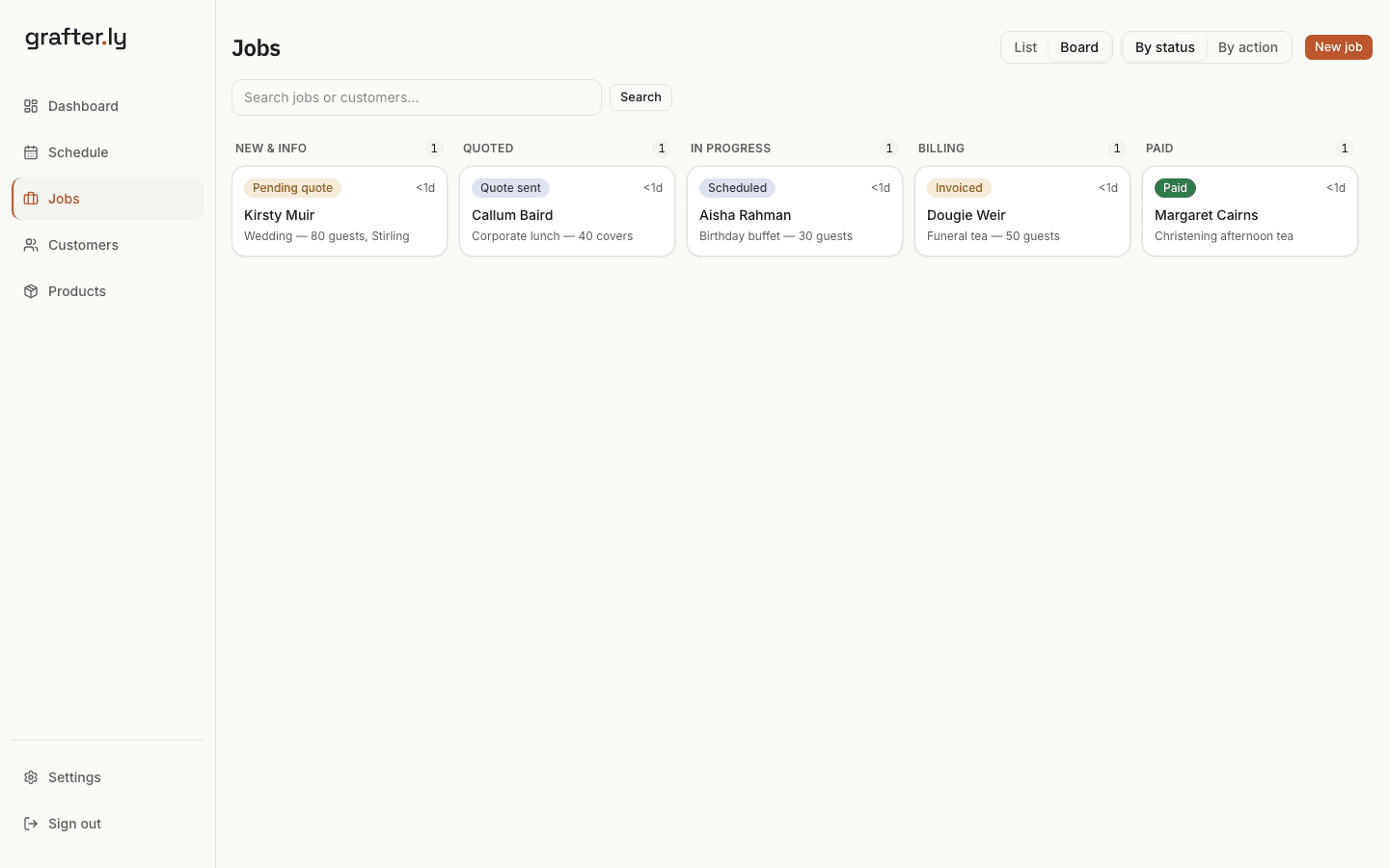
One screen shows everything you've got on.
Every enquiry and every booked event sits in one list, from the first email through to getting paid. You can see at a glance what still needs a quote and what's waiting on the customer.
- Forward an enquiry email and it becomes a job
- Your invoices sync to Xero
- Set a deposit on the quote and it's taken by card when they accept
- Your customer accepts the quote online and you see it
- Connect Stripe and every invoice carries a card payment link
- Build per-head quotes from your price list on your phone
- Upload an Excel or CSV of your jobs and they're all in
Deposits
The deposit that turns a date into a booking.
A wedding held on a maybe is a date you cannot sell twice. The deposit is the moment it becomes real.
- Guest count, venue, style and dietary needs asked before you price it.
- A deposit taken by card the moment they accept the quote, with the balance on the final invoice.
- The quote shows what they are getting and they accept it online, with their name against the price.
- Corporate customers who book every year can have the next one raised automatically.
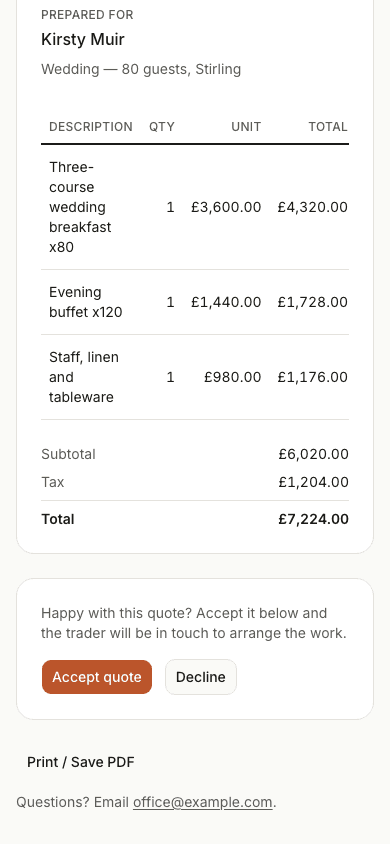
The quote your customer gets.
They open a link on their phone, see the price laid out properly, and accept it online. There's no app to download and no account to make. You see it the moment they do.
Common questions
- How do enquiry emails become jobs?
- Forward the email to your grafter.ly address and it becomes a job with the customer and work details filled in. You check the details before anything goes to the customer.
- How do I check an enquiry has what I need to quote?
- The job is matched to the kind of work it is and lists what you still need to price it. Tap Ask the customer and the questions go out by email under your business name; they reply straight to you, or answer on a page with photos. If the job usually needs a look first, they can pick a morning or afternoon from your free days.
- Can I take a deposit when they book?
- Yes. Set a deposit on the quote and it's taken by card when the customer accepts, once Stripe is connected. The balance is invoiced after the event.
- Does my customer need an app to accept a quote?
- No. They open a link on their phone, see the price laid out, and type their name to accept. You see it the moment they do.
- How much does it cost?
- £25 a month after your first 30 days free. No card details to start, no contract, no setup fee. Card payments carry Stripe's fee and we add nothing on top.
- Does it work with Xero?
- Yes. Connect Xero once and every sent invoice copies across with the customer attached. When a payment is recorded in Xero, the invoice here shows paid too.
- Can I bring my existing jobs in?
- Yes. Upload an Excel or CSV, check the preview, and your jobs are in. You don't need to import anything to start, though. One forwarded enquiry is enough.
Try it on your next enquiry.
Set it up yourself in minutes. No sales call, no card, no drip emails.
30 days free, then £25 a month. No card details to start.