
Features — what's live today
Everything between the enquiry and the money in the bank.
Five things you have to get done on every job: work out what it is, price it and book it, run it, get paid, and know what you made. Here is what grafter.ly does for each of them today.
30 days free, then £25 a month. No card details to start.
First, qualify it
Work out what the job actually is.
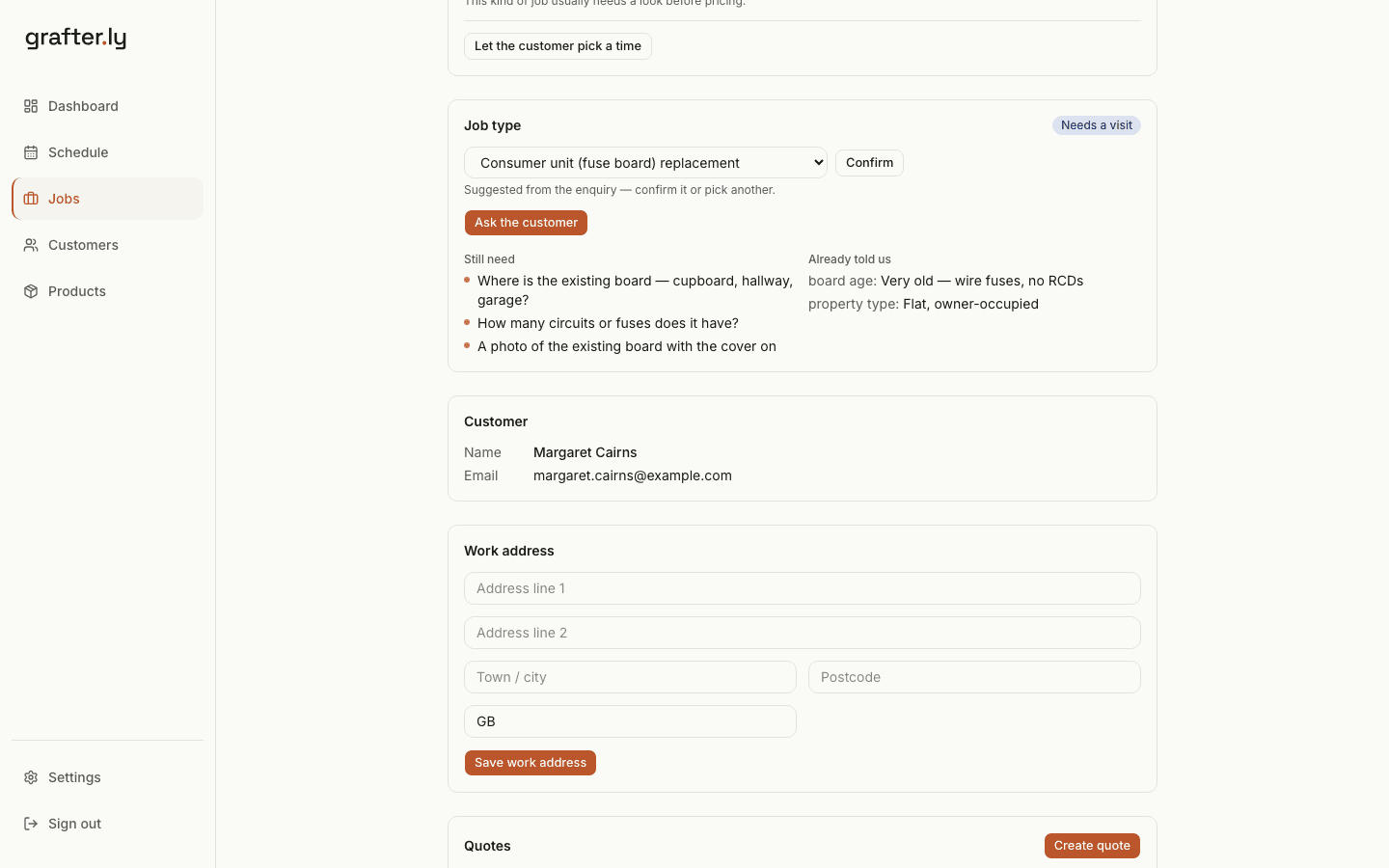
Before anything gets priced, you need to know what you're walking into. The enquiry arrives sorted, and the gaps are listed.
- The job type matched from the email, with the handful of details that decide the price on that kind of work.
- Ask the customer in two taps. They reply by email, or answer on a page and send photos from their phone.
- A guide price before anyone drives anywhere. You type the range — nothing suggests a number for you — and they say whether it's in the right area.
- When a job needs a look first, it says so, and the customer picks a morning or afternoon from your free days.
The enquiry
The questions you'd ask anyway, asked in two taps.
An enquiry lands matched to the kind of job it is, with the customer's answers pulled out and what's still outstanding drafted as a reply. Send it in two taps — they reply by email, or answer on a page with photos. Needs a look first? They pick a morning or afternoon from your free days. The job type, the questions, the visit: all suggestions you confirm, nothing moves until you tap.
Three emails for a photo of the boardAsked in two taps, answered on their phone
See how it works →What they sent
From Margaret Cairns
Fuse box
I had someone out to fit a socket and he said the fuse box is past it and should be replaced.
It's a very old one with the wire fuses, no test buttons on it. It's our own flat in Camelon. Could you give me a price?
The job it became
The reply, ready to send
To Margaret Cairns
Questions about your consumer unit (fuse board) replacement — MacLeod Electrical
Hi Margaret,
Thanks for getting in touch about your consumer unit (fuse board) replacement.
To give you a price, could you let us know:
- Where is the existing board — cupboard, hallway, garage?
- How many circuits or fuses does it have?
- A photo of the existing board with the cover on (a photo is ideal — just attach it)
Just reply to this email with the answers. If it's easier, you can answer here.
— MacLeod Electrical
Then price and book it
Put a number on it and get it in the diary.
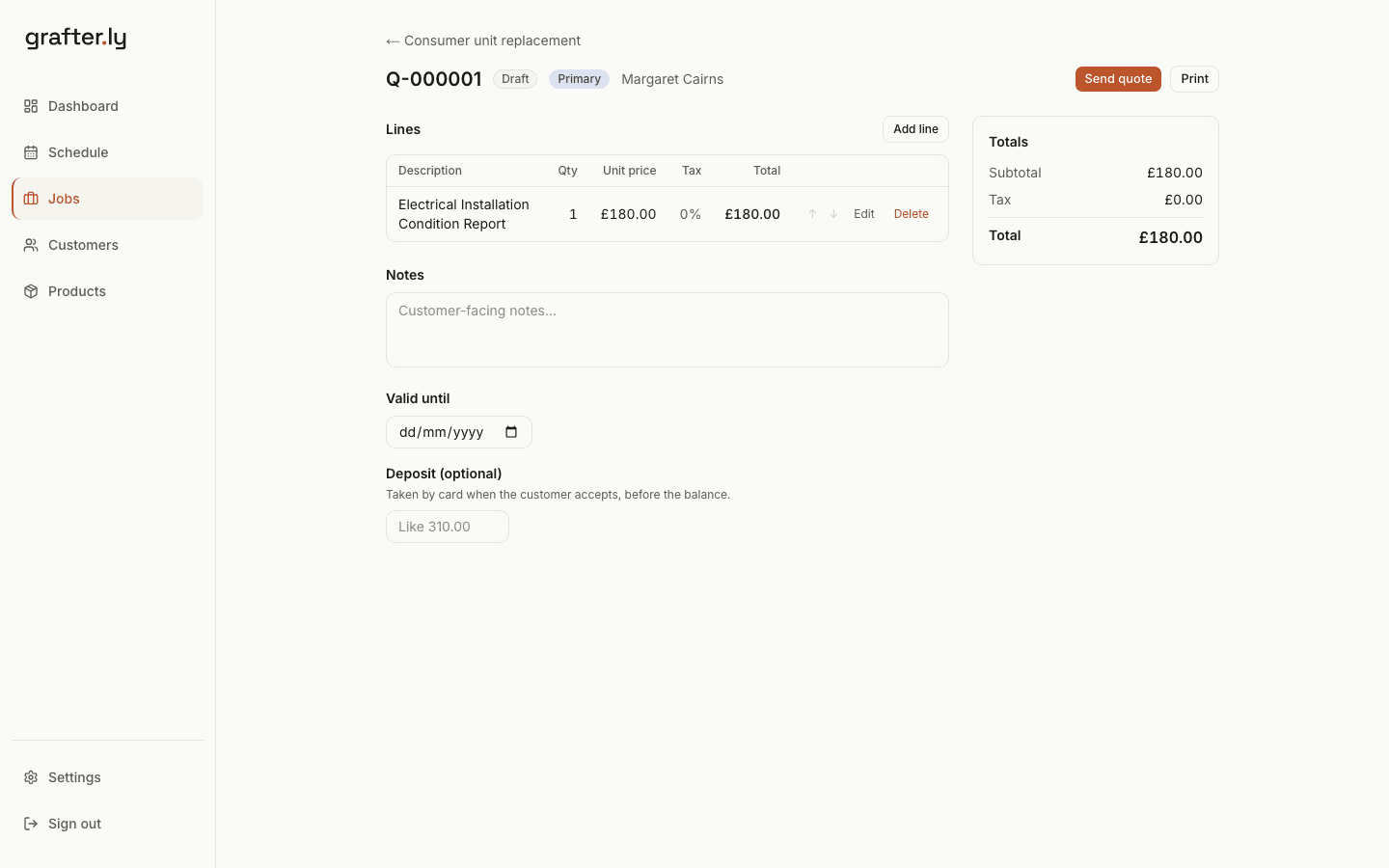
The quote comes off your own price list, the customer accepts it online, and the work lands on a week that knows what's already on it.
- Quotes your customer accepts online, with their name signed against the price shown.
- Labour or service lines, by the hour or as a fixed fee, with the actual hours confirmed before the invoice goes out.
- A deposit taken at the moment they accept. The balance follows on the invoice.
- Scheduling that knows what you've already committed to that week, and tells you when a day is over-full rather than letting you find out on the day.
Quote to paid
From the quote to the bank, without re-keying.
Build a quote from your price list, send it, turn the accepted one into an invoice, and take payment by card. The details carry through — you enter the job once, not five times across five apps.
Entered five times, five appsEntered once
Then run the work
Keep the week straight while you're on the tools.
One board for everything open, a phone that works in bad signal, and the jobs that come back round raising themselves.
- Every open job on one board, showing what each one is waiting on.
- Photos from site, taken one-handed. No signal, they queue and go up when you're back in coverage.
- Admins and crew on the same account. Crew see their jobs, the week and the photos — no prices, no quotes, no invoices.
- Work that comes back round — the annual check, the quarterly visit, the monthly clean — raised as a real job when it falls due.
The board
Know where every job is.
Every open job, every stage, on one board — from a new enquiry through to paid. Open it on a Monday morning and the whole picture is there in three seconds: what needs a quote, what you're waiting on, what's ready to invoice.
In your head, in texts, in a notebookOn the board
See how the board works →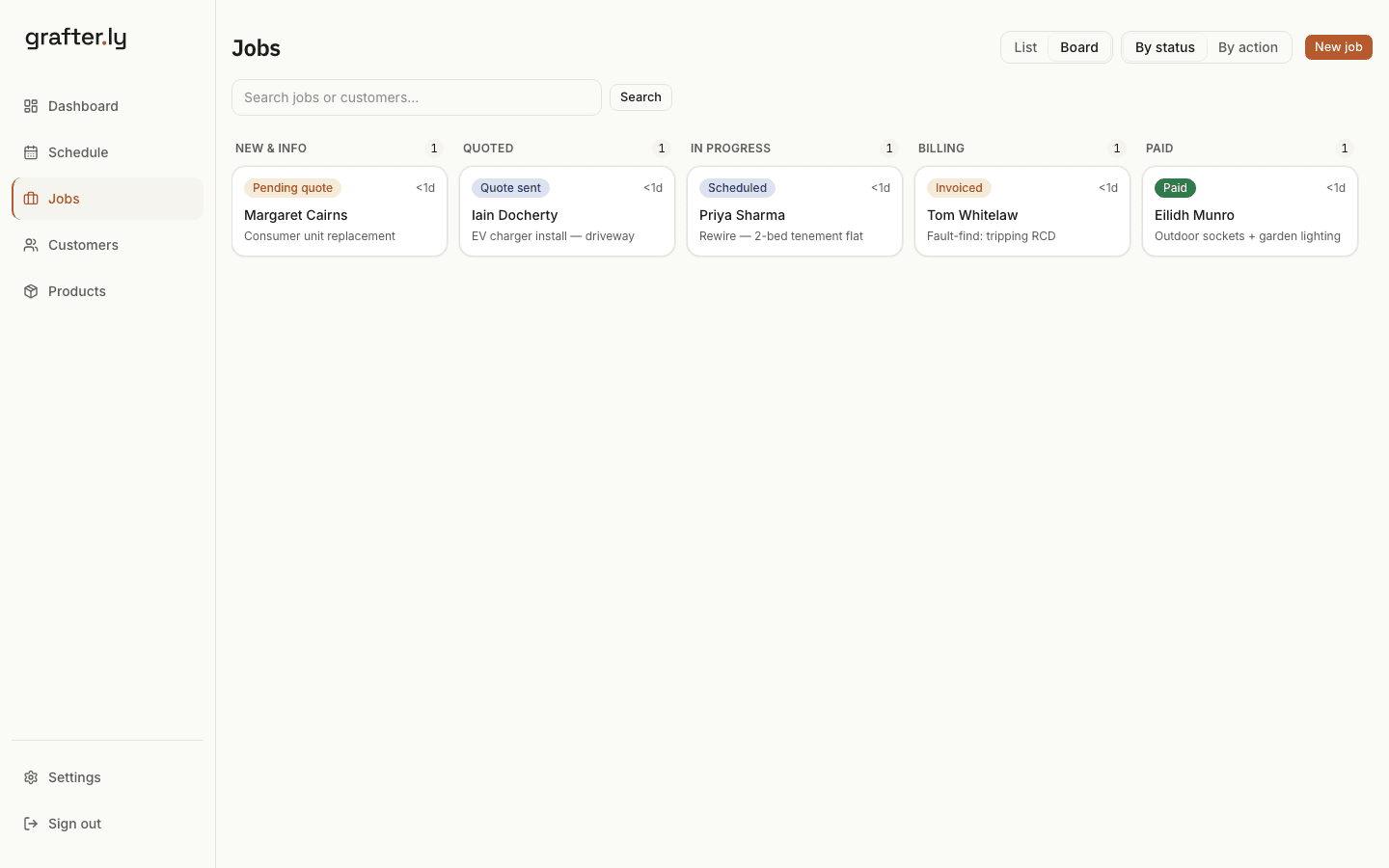
On the van
Runs from your phone.
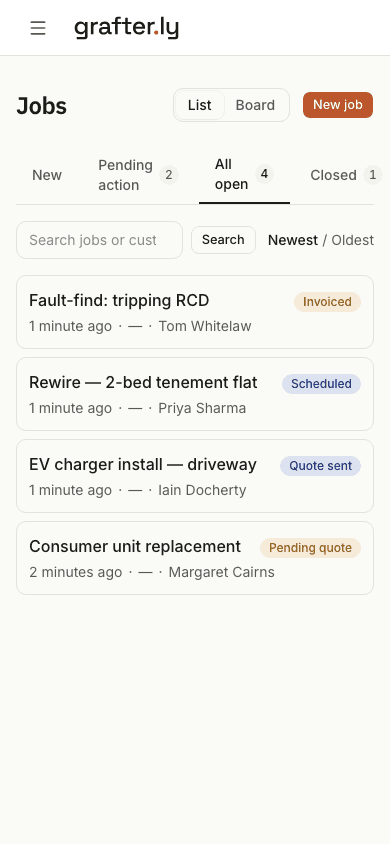
Built for a phone in one hand on a job site first, the laptop second. Check what's on, update a job, send a quote — from the van, in poor signal.
"I'll sort it at the laptop tonight"Sorted from the van
Then get paid
Bill it and stop chasing it.
The invoice comes off the accepted quote, carries a way to pay, and chases itself.
- Invoices raised from the accepted quote. Nothing gets re-keyed.
- A card payment link on every invoice, once Stripe is connected.
- Payment reminders that go out on their own, and a one-tap nudge for when you'd rather do it yourself.
- Your invoices and payments sync to Xero.
Your accounts
Invoices land in Xero without re-keying.
Connect Xero once and every sent invoice copies across, with the customer attached and VAT mapped. When a payment is recorded in Xero, the invoice here shows paid too. Your accountant works in Xero, you work here, and nobody types the same invoice twice.
Re-typed into the accounts at month endAlready in Xero
And know the numbers
What you made, and what the taxman is owed.
The part that usually waits for the accountant. Receipts against the job, and the figures ready when the quarter closes.
- Expenses and receipts against the job that caused them, or against the business when they're overheads.
- What a job invoiced, what it cost you, and what's left — against what you actually billed, not what you hoped for.
- VAT charged and VAT paid out, by quarter, with the Flat Rate Scheme worked out properly. We're not an MTD-recognised tool, so you file it yourself.
- CIS taken off the labour on an invoice, and the domestic reverse charge where it applies.
Getting started
Bring your jobs with you.
Already got work on? Upload an Excel or CSV of your jobs — grafter.ly reads the columns, shows you what it found, and creates the jobs once you confirm. The dashboard shows your real week from day one, not an empty screen.
An evening re-typing every jobOne upload
From the blog
The thinking behind it — practical guides on the bits of the job that cost you time and money:
Try it free for 30 days.
Set it up yourself in minutes. No sales call, no card, no drip emails.
30 days free, then £25 a month. No card details to start.